- Authority: https://account.spacestation14.com/
- OIDC config: https://account.spacestation14.com/.well-known/openid-configuration
- Allowed authorization flow: Authorization code (implicit etc is not allowed)
- Available scopes:
openid,profile,email.
If you get errors when trying to test logging in, make sure all information is correct (especially the redirect URI, check this with your browser’s network tab)We can provide more detailed error help on request.
Example Configuration
MediaWiki
You first need to make sure you have thePluggableAuth and OpenIDConnect extensions installed. Please refer to MediaWiki’s documentation for installing extensions.
Create an OAuth application on our website with the following parameters:
- Application name: Something meaningful for users to recognize.
- Authorization callback URL: The “
Special:PluggableAuthLogin” page on your wiki. For example, since the official wiki’s main page ishttps://wiki.spacestation14.io/wiki/Main_Page, this would behttps://wiki.spacestation14.io/wiki/Special:PluggableAuthLogin. - Homepage URL: The main page of your wiki. For example
https://wiki.spacestation14.io/wiki/Main_Page - Untick “Require PKCE”
LocalSettings.php in your MediaWiki installation and replace the required values:
Troubleshooting
Auth-side “An error occurred while processing your request.”
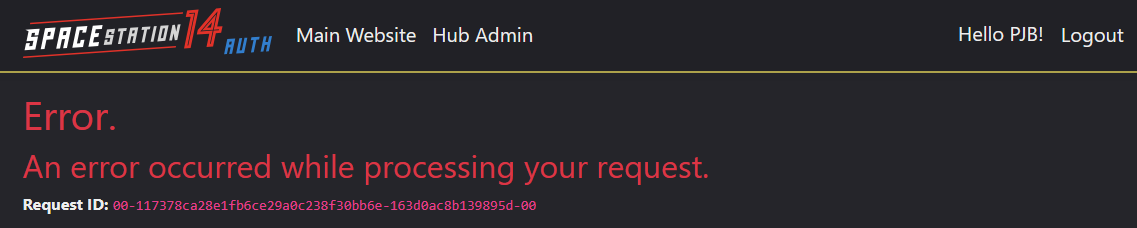
- Incorrectly specified redirect URI.
- App reporting incorrect redirect URI due to misconfiguration.
- Incorrect client secret specified in config file.
- Incorrect client ID specified in config file.
- PKCE enabled if client library doesn’t support PKCE.
- Invalid scopes specified in client library.
#hosting on Discord. If you do ask for support, please provide an approximate timestamp of when you last tried, as the “Request ID” you see is mostly useless to us at the moment.
Speaking from experience, however, in 95% of cases (and especially if you’re just hosting something like SS14.Admin which should otherwise work very easily), the error is caused by the redirect URI being wrong. You can verify this yourself by keeping your browser dev tools open while trying to log in, as the redirect URI is visible in the query parameters:
